Product engagement
By installing the Tulo Engage Tracker on your websites/products you can track user behaviour by analysing visits and pageviews for your visitors. The data collected is aggregated and provides insights into how you products engage your visitors and can give answers to questions like:
- Which articles are viewed and read?
- Which articles drives subscription purchase?
- Which articles are visitors engaging with?
- Trends, how does views/reads in current period relate to corresponding previous period?
Articles
The Articles dashboard provides insights for all of your titles aggregated for a selected time-period, you can of course also focus on a specific title if you want to look closer at that. When selecting a new time-period for the dashboard, the data is refreshed and the chart will show current period for the selected KPI, as well as the previous period for easy comparing.
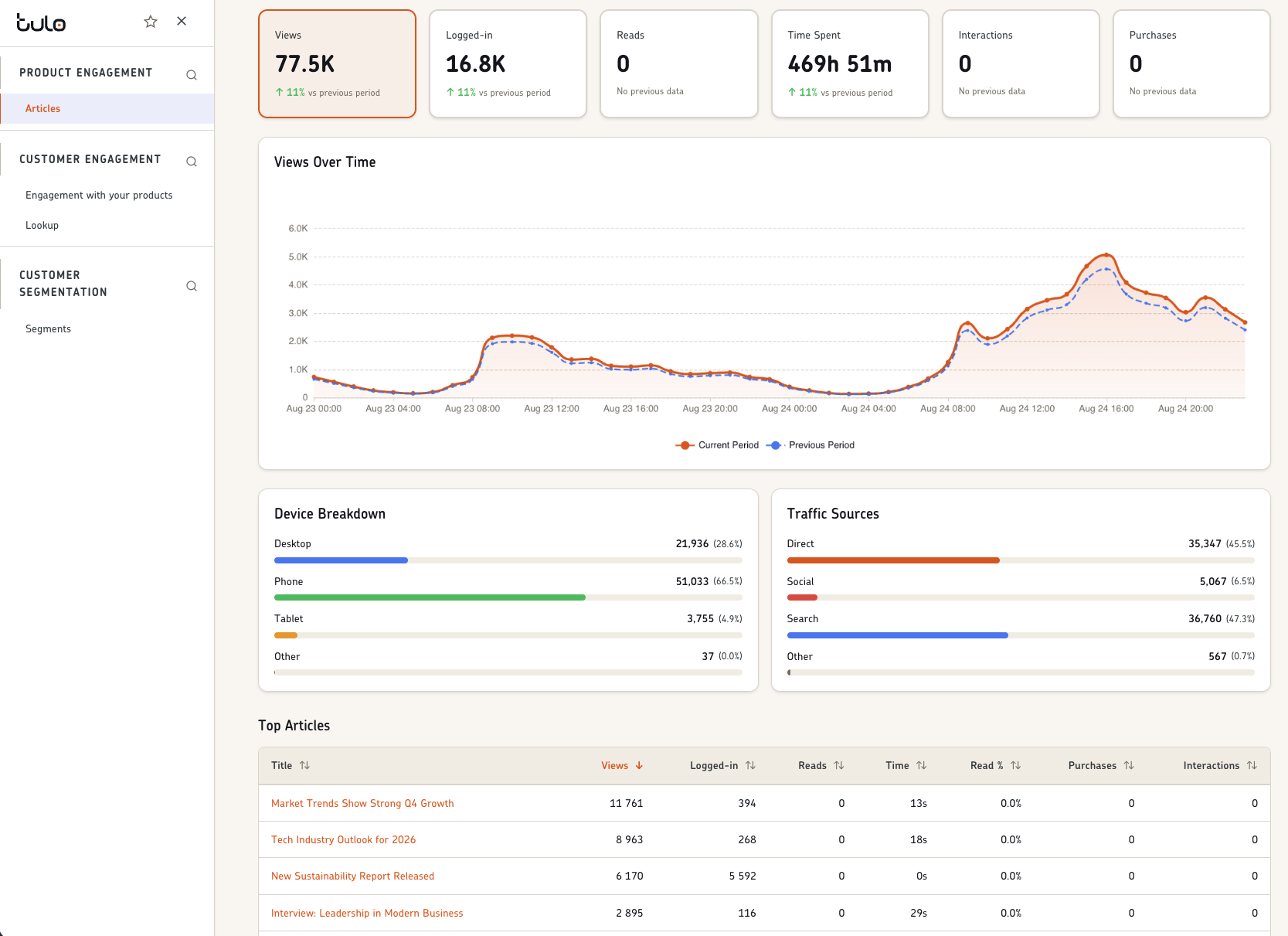
KPI's and chart
The KPI's tracked and aggregated are displayed in boxes for the current period on top of the time-period chart, with a comparison with the previous period. All KPI's are visualized in the time-period chart, selecting a KPI will show that in the time-period chart for the selected time-period.
- Views, the total number of article views.
- Logged-in, the number of article views by logged in users.
- Reads, the number of article reads.
- Time spent, time spent viewing/reading articles.
- Interactions, the number of article interactions.
- Purchases, the number of purchases initiated from articles
Reads This KPI is configurable and determined together with the organisation, determining if an article has been read or not is usually different betweeen organisations. We will help you set this up using a combination of properties, like time-spent, scroll-depth, article word-count etc.
Interactions This KPI is configurable and determined together with the organisation, what kind if article interactions would the organisation like to follow?
Purchases This KPI is dependant on how purchases are tracked on your websites, depending on if you use our Tulo Paywall or something else we will help you track this number.
Top Articles list
The Top Articles list is table containing the top 100 articles in the selected time-period. By default it is sorted on "Views", by clicking on a column the articles will be sorted on that KPI instead.